Download

Compare

How Bwee compares

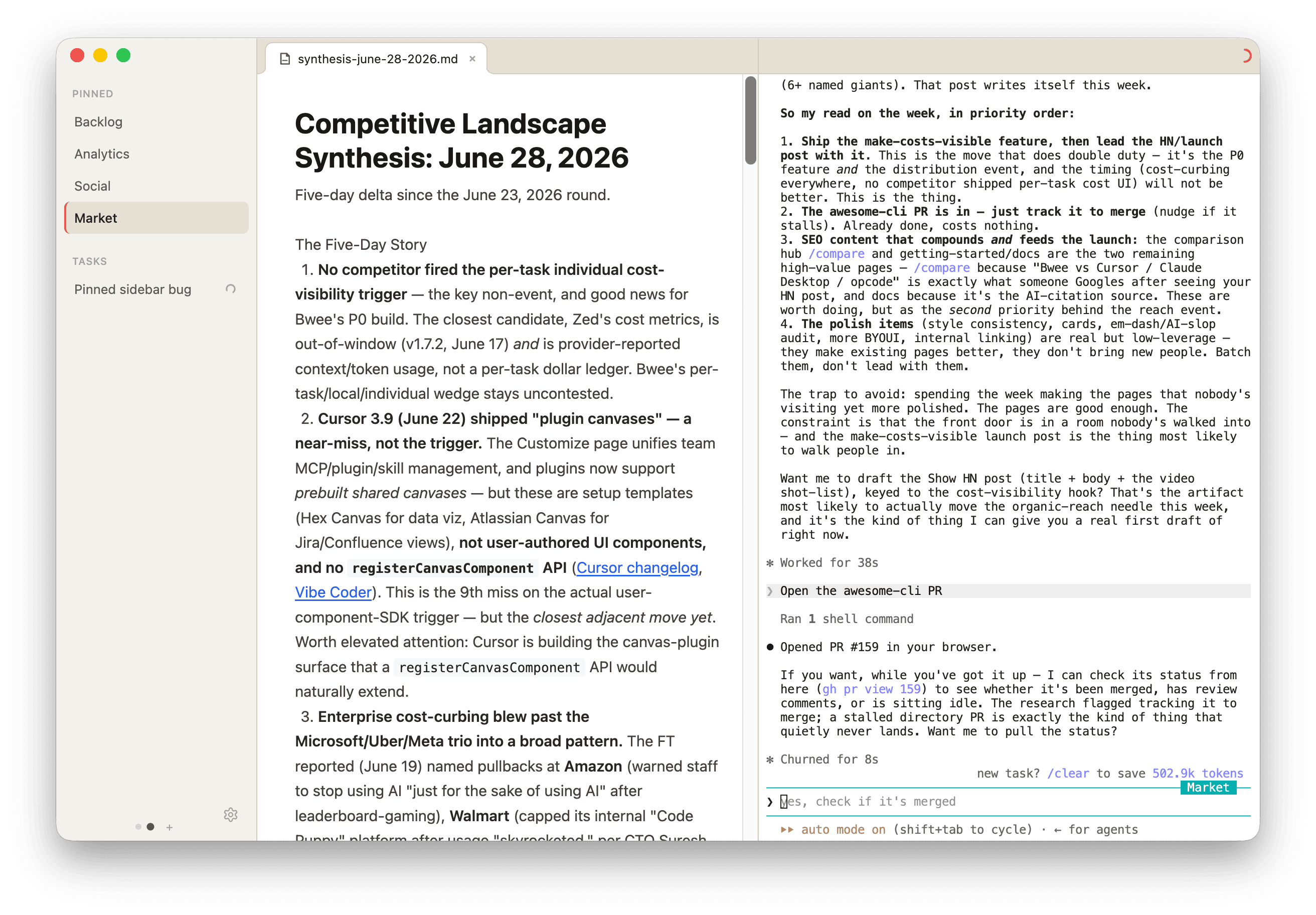
Bwee organizes Claude Code, Codex and the custom views they build for you. BYOUI (Build Your Own UI) to fit exactly how you work.

Bwee Obsidian Cursor VS Code Claude Desktop Claude Code Codex app
Built for Any workflow Note taking Coding Coding Everyday AI Coding Coding
Task management Yes · persistent, auto-named tasks for Claude Code and Codex No Yes · parallel agents Limited · in the agent view Yes · parallel Claude Code sessions, Cowork Limited · via /resume Yes · parallel threads, worktrees, automations
Views built for you by chatting Yes · any UI you describe, beside the chat, kept with the task Plugins you install Yes · Canvas, from Cursor’s components Extensions you install Yes · Artifacts in chat, app views from partners No No

Scroll the table sideways for every tool.

Not in the table: ChatGPT. Since October 7 its Intelligent UI composes interactive pieces like charts, forms and calculators right inside its answers.

See it side by side

A custom view Bwee built for the task
Bwee
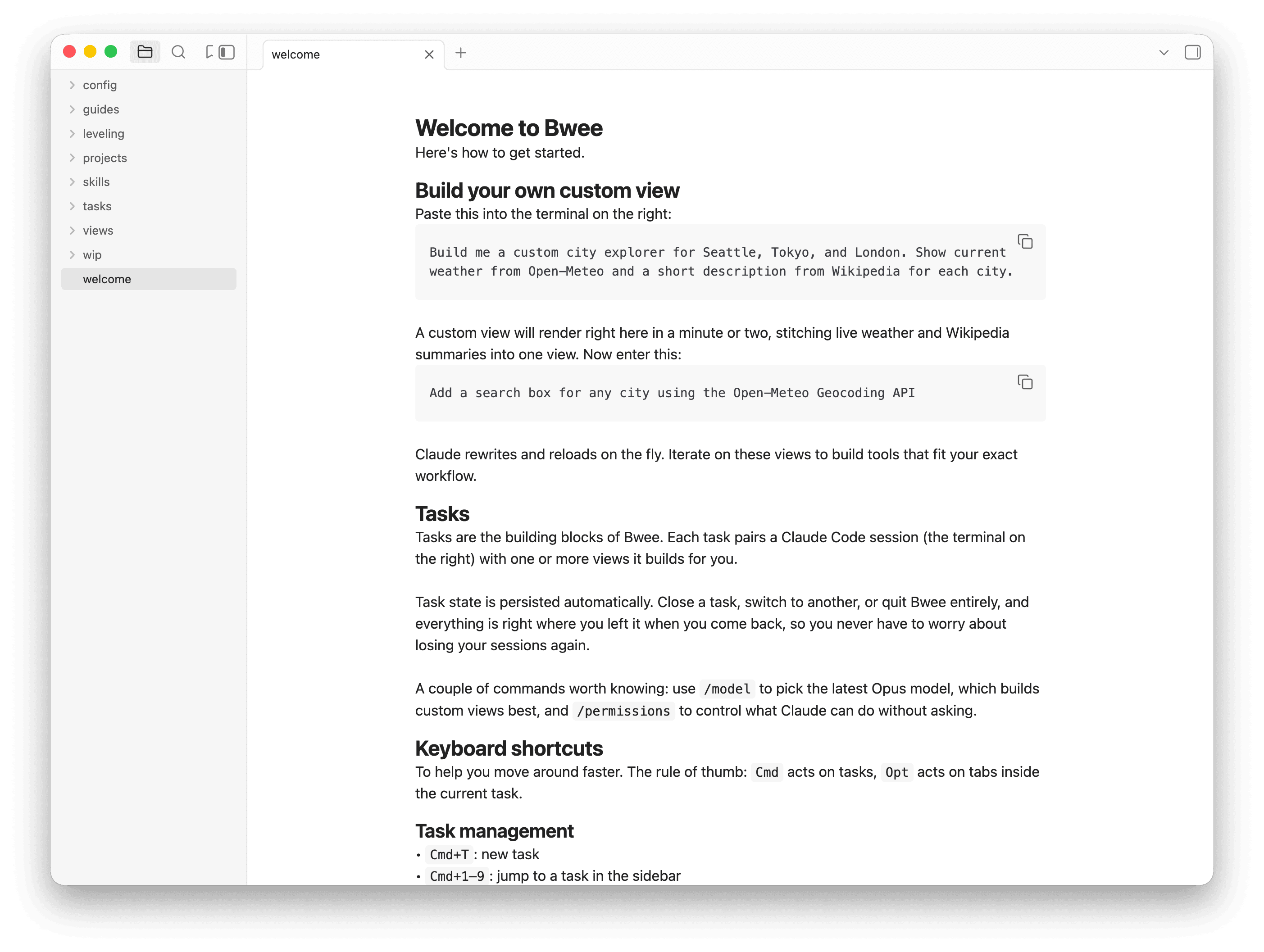
Obsidian interface
Obsidian

Bwee vs Obsidian

Markdown is first-class in both. The difference is how they're organized. Obsidian centers on a file explorer: you navigate, view, and edit files. Great for the documents themselves, less so for managing Claude Code or Codex as it works.

Bwee is organized around tasks instead: long-lived Claude Code and Codex sessions, each bundling the markdown it needs as context, grouped and persisted. People already think in tasks, so it feels more natural than navigating a tree of files.

Bwee vs Cursor

If you're optimizing for raw coding, Cursor is the better choice, and that's the honest answer. It's purpose-built for it, with agent-aware worktrees, PR monitoring, and a view for running several agents in parallel.

Where Bwee wins is customization. Everyone iterates on code and reviews PRs their own way. Bwee lets you build that workflow yourself, like having Claude Code or Codex audit every incoming review and render inline comments only you can see. Cursor’s Canvas builds from Cursor’s components; Bwee builds any view you describe and keeps it with the task.

Bwee vs VS Code

Like Cursor, VS Code is the stronger tool for raw coding, with the deepest extension ecosystem anywhere, though AI is something you bolt on through extensions.

Bwee isn't trying to out-edit it. It's AI-native: instead of adopting a fixed workflow, you describe your own and Claude Code or Codex builds it. Use VS Code to write code; use Bwee to build the workflow around it.

Bwee vs Claude Desktop

The Claude desktop app is the friendliest way to use Claude: Cowork, Artifacts, app views from partners like Figma and Slack, and Claude Code with parallel sessions.

Bwee is narrower and more yours: describe any view and it renders beside the task, stays with it, and runs on Claude Code or Codex.

Bwee vs Claude Code

This one isn't really a comparison. Claude Code is one of the two agents inside Bwee, and it's an excellent one.

In a terminal, everything is text. Bwee keeps the same Claude Code and adds tasks that persist, markdown files as living context, and views you describe, beside the chat.

Bwee vs the Codex app

For running coding agents in parallel, the Codex app is excellent: each thread gets its own worktree, automations run on a schedule, and diff review is built in. Its task management is better than Bwee’s, and that’s the honest answer.

Bwee runs the same Codex. What it adds is the UI you describe: a view beside the task, built for how you review, plan or track work, and kept with that task.

Download